Nook: A Free, Open Source Coworking App
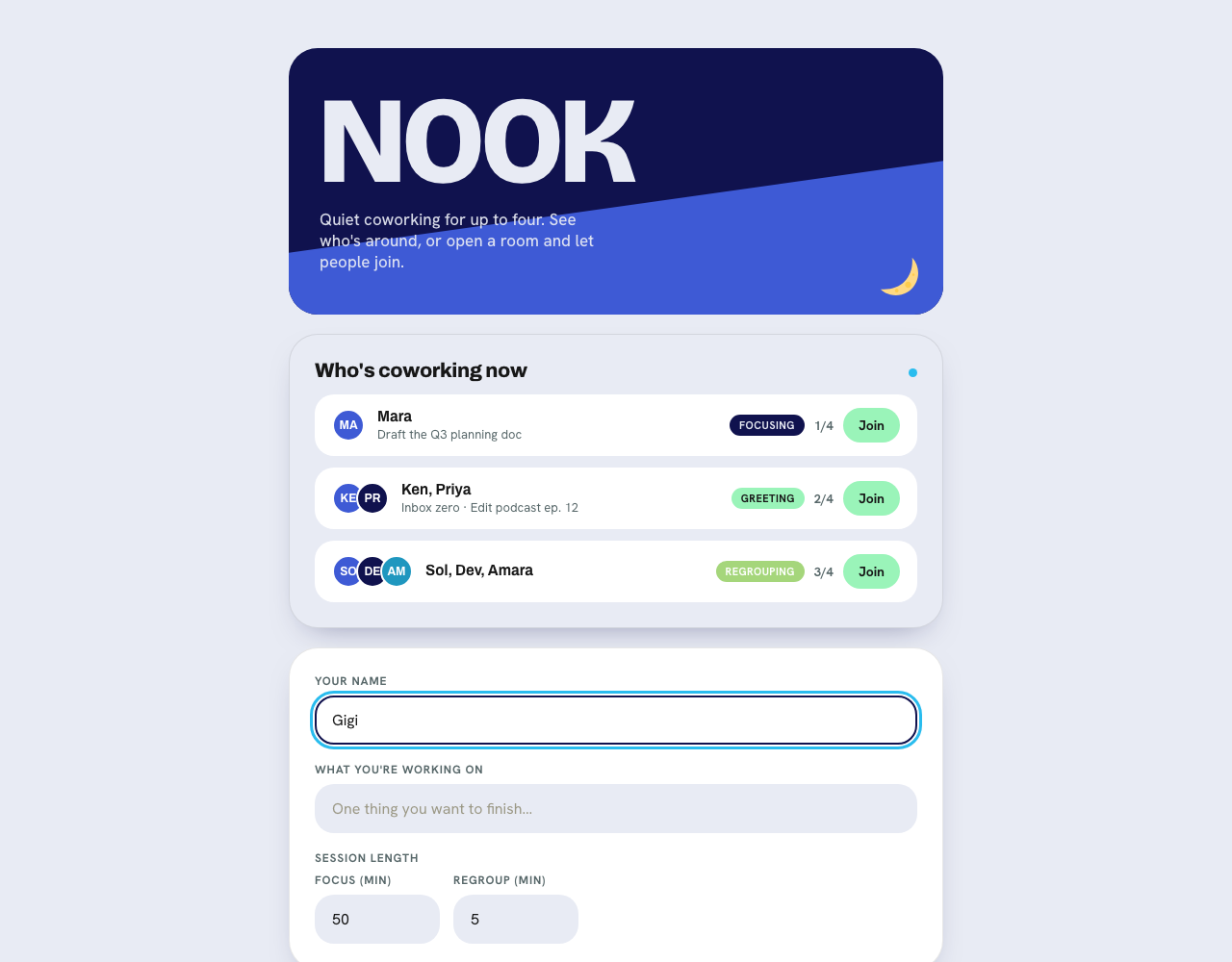
Nook is a free, open source virtual coworking app for up to four people. You open a link, add your name, say what you are working on, and focus for fifty minutes alongside a few other people. No login, no database, nothing stored. I missed Groove, so I built an oversimplified open source version of it, and this is the story of building it.
You can try it at nook.gigikenneth.workers.dev, and the code is open at github.com/gigikenneth/nook under an MIT license.
What Nook is
Nook is a small take on virtual coworking, sometimes called body doubling: the simple trick of getting hard things done by working quietly next to other people who are also working. A room holds up to four people. You share one thing you want to finish, everyone goes heads down for fifty minutes, and then you regroup. That is the entire product.
It is free, and it is open source. There is no account to make and nothing about you is saved anywhere.
The constraints I gave myself
Before writing any code I decided what Nook would refuse to do. The constraints were the design.
- No login. You do not make an account. You type a name and you are in.
- No database. Nothing about you is stored on a server. Not your name, not your goal, not your chat.
- Four people per room, hard cap. Enough to feel accompanied, small enough that a room never needs matching, moderation, or a community team.
- Free to run. Not free-for-now with a meter running in the background. Free because the architecture genuinely costs almost nothing when nobody is using it.
That last one is the interesting engineering problem, and it is where most of the work went.
What it feels like to use
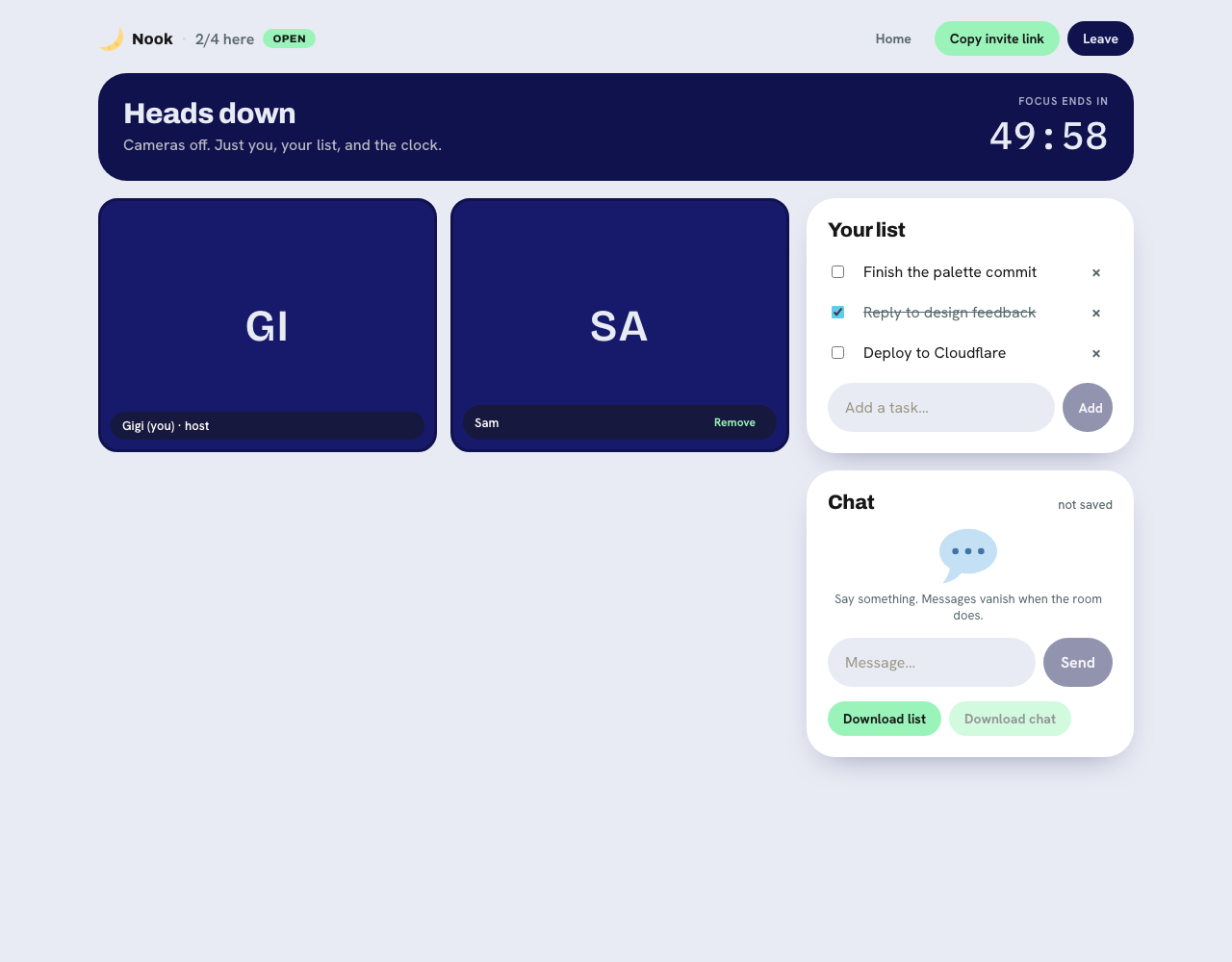
You land on the page, add your name, and pick whether you are up for camera or camera-shy. You set a focus length, defaulting to fifty minutes, and a short regroup at the end. Then you either join a room someone else has open or start your own, public or invite-only.
When a session starts, everyone says hello and shares the one thing they are working on.
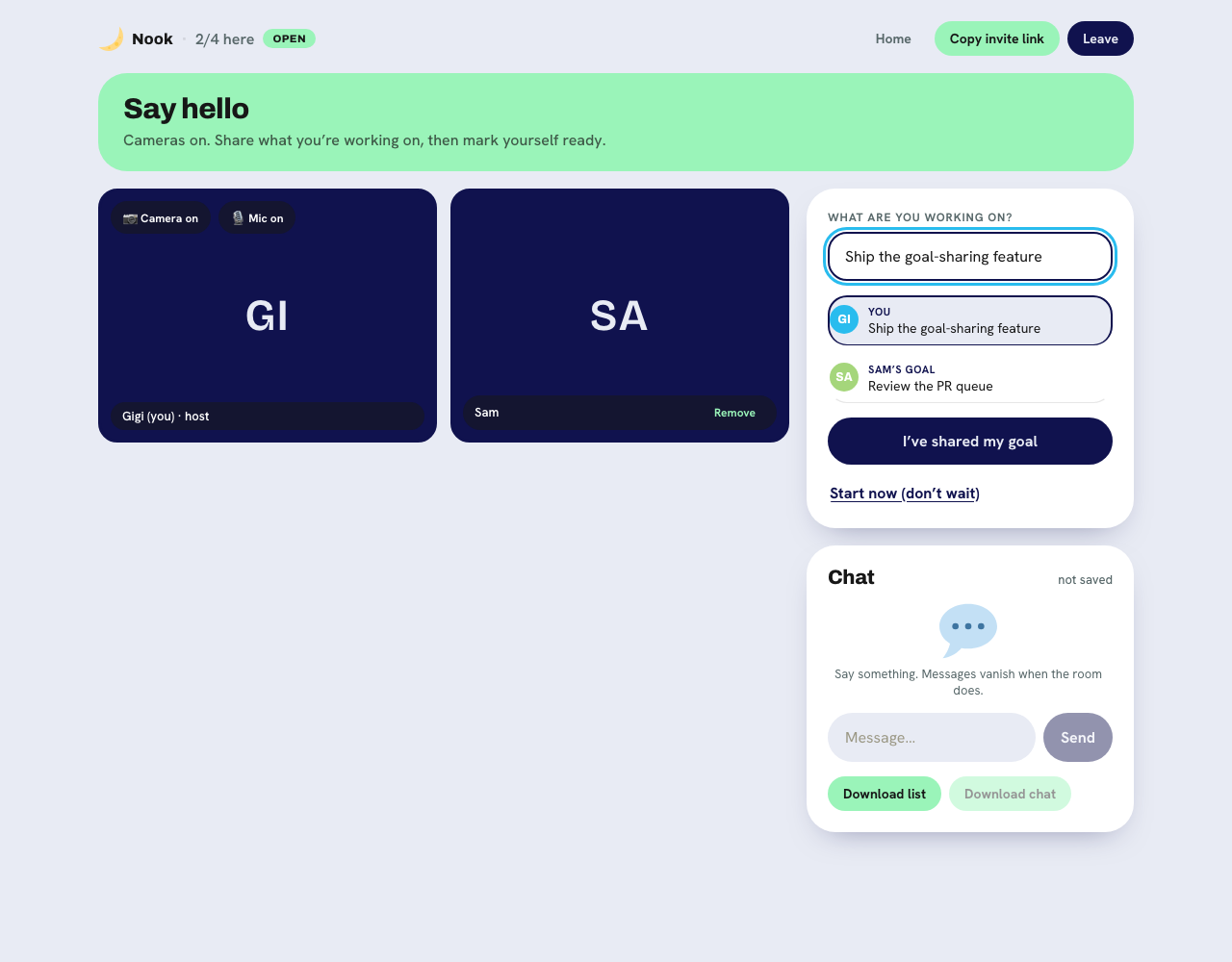
Then the room goes heads down. There is a countdown, a task list you can tick through, and a live chat with a small label in the corner that reads "not saved," because it genuinely is not. Messages vanish when the room does.
The architecture, before and after
The hardest part of Nook was the video, and I got it wrong the first time.
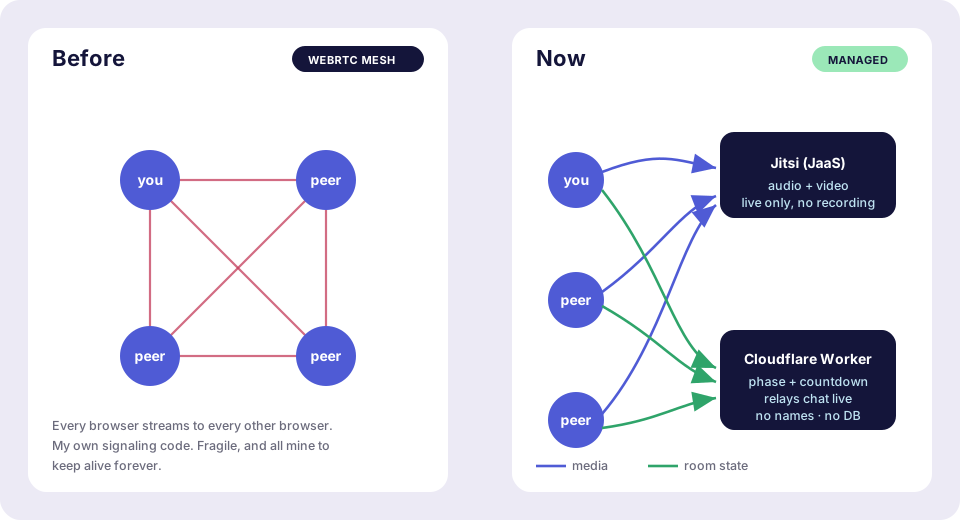
The version I started with was a hand-rolled WebRTC mesh. Every person in the room connected directly to every other person, and I wrote the signaling to introduce them. This is fine for two people. At four people each browser is sending its video three times and receiving three streams, the connections multiply, and I was maintaining all of the plumbing myself. It worked, but it was fragile, and every bit of it was code I would have to keep alive forever.
The version now offloads video entirely to Jitsi. Audio and video run over an embedded Jitsi call using Jitsi as a Service, encrypted in transit and live-only, with recording disabled by token so nothing ever touches a disk. The room name Jitsi uses is a hash of Nook's own room id, so only the people already inside a max-four Nook room can get a token to join the call. I deleted my entire mesh and signaling layer and replaced it with a managed service that does the hard part better than I could, for free.
Everything that is not video runs on Cloudflare Workers. The Worker is the signaling backend and holds a tiny amount of room state, just the current phase and the countdown, so that if your connection drops you can rejoin and land back in the right place. That state contains no names, no goals, and no messages. Names, task lists, and chat live only in your browser and in the room's transient memory, and they are gone the moment the room closes.
The whole thing runs on Cloudflare's free tier plus Jitsi as a Service. There is no database anywhere in the system.
The part where it broke
I want to include this because a build story that only lists the clever decisions is not honest.
The room coordination lives in a small stateful piece of Cloudflare's platform, a Durable Object. On the free tier, those have a cap on how long a single one can run. Nook's rooms are, by design, things that stay open while people work, so the two facts collided. Every call into the room coordinator started failing, and for a stretch the live app was returning errors to anyone who tried to open a room. The exact decision that was supposed to keep Nook cheap was the thing that took it down.
The easy fix was to pay. A few dollars a month would have made the error disappear instantly, and that option was sitting right there the whole time.
But paying to make it go away would have quietly broken the one promise the project is built on, which is that this can run for free. So instead I moved the room coordinator to a hibernating model, where it can hold a live connection open while effectively asleep and bill close to nothing while a room is idle. An idle room now costs roughly what an idle room should cost, which is nothing. I also added a small banner so that when something does go wrong, people see an honest message instead of a dead screen.
The fix was not to spend money to make the constraint disappear. It was to respect the constraint and build inside it. That turned out to be the whole personality of the project.
Why free, and why open
Nook is free because I did not want it to be a countdown. A coworking room you rely on should not be one funding decision away from disappearing, and the cheapest way to guarantee that is to make it cost almost nothing to run in the first place. No database, no servers I babysit, video handed to someone who does it better, and a hard cap that keeps any single room small.
It is open source because it is small enough to be legible. If you want to run your own, or read exactly how the "nothing is stored" claim is actually true, the whole thing is on GitHub.
Frequently asked questions
What is Nook? Nook is a free, open source virtual coworking app. Up to four people join a room, share what they are working on, and focus together for a fifty-minute session with a short regroup at the end. There is no login and no account.
Is Nook free? Yes. Nook is completely free to use, and it is built to stay that way. It runs entirely on free infrastructure, so there is no meter running in the background and no paid tier to upgrade to.
Is Nook open source? Yes. The full source is on GitHub under an MIT license. You can read it, fork it, or deploy your own copy.
Does Nook store my data? No. Nook has no database. Your name, your task list, and your chat live only in your browser and in the room's temporary memory, and they disappear the moment the room closes. Video and audio are live-only, with recording disabled.
How many people can join a room? Four, by design. The cap keeps rooms intimate and means a room never needs matching, moderation, or a community team.
What is Nook built with? Video and audio run over Jitsi (Jitsi as a Service). Room coordination runs on Cloudflare Workers and Durable Objects. There is no database.
What is body doubling? Body doubling is the practice of doing a task in the presence of another person to stay focused and accountable. Virtual coworking apps like Nook recreate that feeling online.
Try it
If you work alone and wish you did not, open a room. Bring one thing you want to finish. Stay for fifty minutes. Leave whenever you like, and take nothing with you but the work you got done.
That was always the good part.
I build small, honest software and write about it. See more of my work, read the blog, or get new posts in The Mail Room. More about me.